Articles : Install CWM Recovery On Lenovo A850 With Row And CN Firmwares
full Link : Install CWM Recovery On Lenovo A850 With Row And CN Firmwares
Install CWM Recovery On Lenovo A850 With Row And CN Firmwares
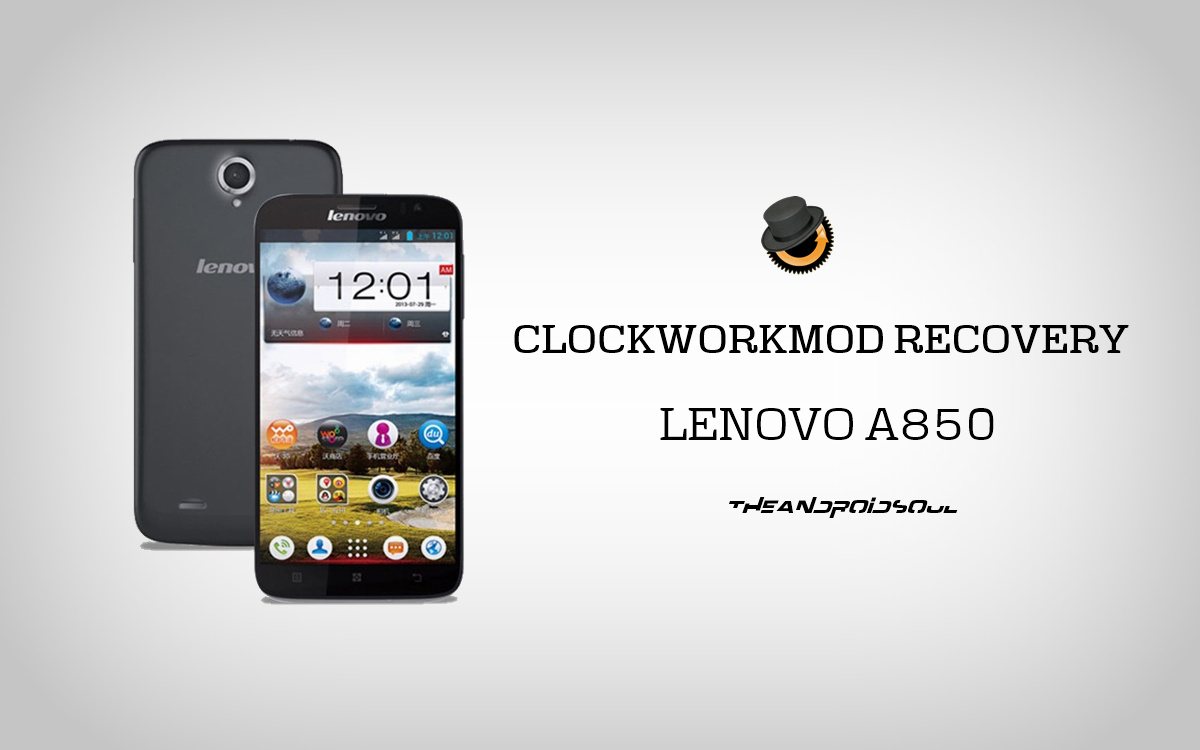
RECOVERY INFO
| Name | CWM Recovery |
| Version | 6.0.3.4 |
| Stability | Stable, without any issues. |
| Credits | linerty |
WARNING!
Warranty may be void of your device if you follow the procedures given on this page.
You only are responsible for your device. We won’t be liable if any damage occurs to your device and/or its components.
GUIDE: CWM RECOVERY INSTALLATION ON LENOVO A850
Before you begin with guide instructions below, make sure your android device is adequately charged — at least 50% battery of the device.
STEP 0: CHECK DEVICE MODEL NO.
To make sure your device is eligible with this, you must first confirm its model no. in ‘About device’ option under Settings. Another way to confirm model no. is by looking for it on the packaging box of your device. It must be A850!
Please know that this page is meant only for Lenovo A850. Please DO NOT try the procedures given here on any other device of Lenovo or any other company. You have been Warned!
STEP 1: BACKUP YOUR DEVICE
Back up important data and stuff before you start playing around here as there are chances you might lose your apps and app-data (app settings, game progress, etc.), and in rare case, files on the internal memory, too.
For help on Backup and Restore, check out our exclusive page on that linked right below.
STEP 2: ROOT YOUR DEVICE
Your device should be rooted in order to flash the recovery using the method discussed in the guide.
If you are not sure on how to root your Lenovo A850, follow our definitive guide on rooting Lenovo A850 as a pre-requisite.
STEP 3: INSTALLATION INSTRUCTIONS
DOWNLOADS
Download the files given below and transfer it to a separate folder on your phone and remember the location.
RECOVERY FILE FOR ROW FIRMWARE USERS
DOWNLOAD LINK | File name: recovery_z_CWM_v6.0.3.4.img (5.7 MB)
RECOVERY FILE FOR CN FIRMWARE USERS
DOWNLOAD LINK | File name: recovery_z_CWM_v6.0.3.4.img (5.7 MB)
MOBILE UNCLE TOOLS
You can always download the latest version of Mobile Uncle Tools from the Google Play Storelink here.
STEP-BY-STEP GUIDE
Important Note: Backup important files stored on internal SD card of your device, so that in case a situation arises requiring you to do a factory reset after flashing CWM Recovery, which might delete internal sd card too, your files will remain safe on PC.
- Download the Recovery file of your respective firmware build (Check the Baseband version in the About Phone settings for Firmware details), and rename it to recovery.img and transfer it to the root of your phone using a USB Cable.
- Download the Mobile Uncle Tools app from the Google play link provided in the Downloads section and install it.
- Launch the Mobile Uncle Tools app from the app drawer. It will request you for the Root permissions.
└ Note: If it doesn’t request for root permission, follow the root guide given above carefully once again. - Now confirm the root request by pressing on grant. Now it will show you the app main page. Click on the Recovery Update option in the app.
- It will show you the search results in another page listing the recovery.img you placed in the root of your SD card.
- Now click on the recovery.img. It will pop-up a dialogue box Are Sure flash recovery! . Click Ok.
└ Note: The screen may go unresponsive for sometime, don’t panic. It is due to the flashing of the recovery. - After flashing it will ask whether to reboot into recovery. Click Ok. It will automatically take you into the CWM recovery.
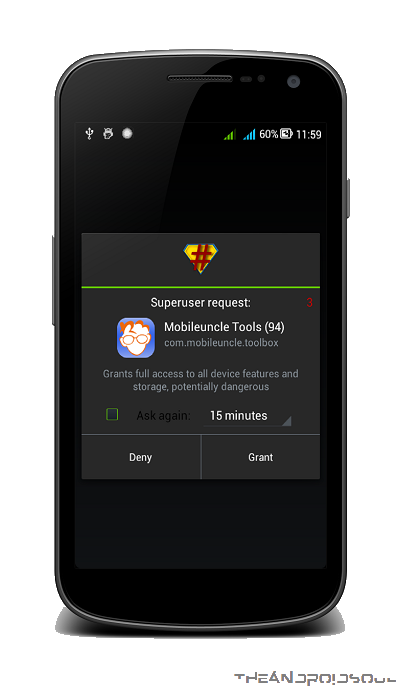
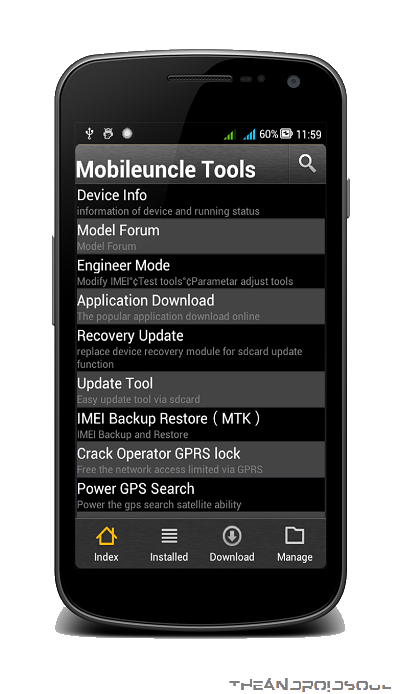
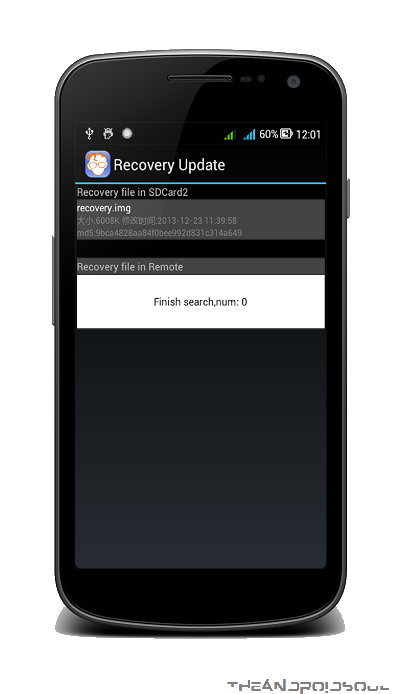
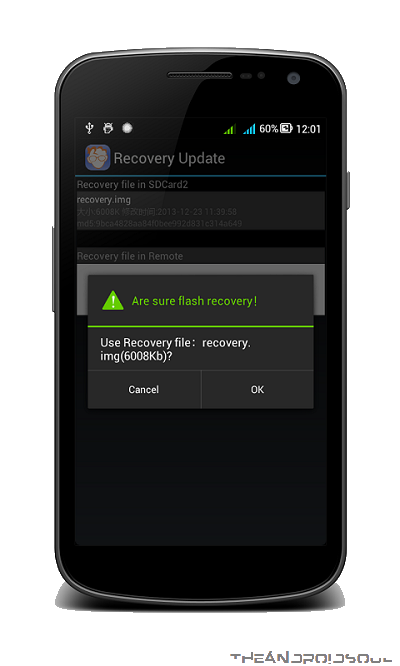
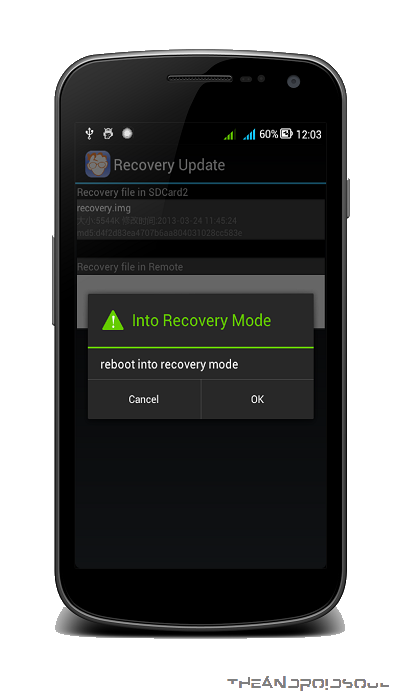
That’s all, you have successfully flashed the CWM recovery on your device. If you need help regarding this, feel free to ask us in comments below.
information Install CWM Recovery On Lenovo A850 With Row And CN Firmwares has been completed in the discussion
hopefully the information Install CWM Recovery On Lenovo A850 With Row And CN Firmwares can be useful for you in looking for references about technology gadgets,
you just finished reading information about Install CWM Recovery On Lenovo A850 With Row And CN Firmwares if you want to bookmark or share this link please use link https://indiafunworld.blogspot.com/2015/10/install-cwm-recovery-on-lenovo-a850.html?m=1 please also visit to other page to get more information.
Tag :


0 komentar:
Posting Komentar